SEO crawlers · Updated August 2026
Sitebulb vs LibreCrawl Which SEO crawler should you run in 2026?
A side-by-side look at Sitebulb and LibreCrawl, built only from what each tool publishes on its own site. Pricing, crawl limits and feature availability are quoted as documented — where a tool does not state something, we say so rather than guess.
 Sitebulb
  LibreCrawl
 The quick verdict
Both crawl. They are built for different jobs.
Every tool here fetches pages and reports on what it finds. What separates them is how much you pay per seat, how big a site each can finish, whether anyone else on your team can see the data, and whether you own the code.
Sitebulb Desktop and cloud
Sitebulb is the only one here that sells both a desktop app and a cloud crawler, and the only one that pre-prioritises its 300+ checks into ranked Hints.
- Hints rank every issue Critical, High, Medium or Low with an explanation
- Desktop and Cloud are the same tool, so you can move up without switching
- JavaScript crawling is included on every plan at no extra cost
- Audit comparison tracks every datapoint between two crawls
LibreCrawl Free and open source
LibreCrawl is a free MIT-licensed crawler you host yourself, with unlimited URLs, Playwright rendering and a documented REST API.
- Free with no paid tier at all, under an MIT licence
- Unlimited URLs, with 1M+ crawls documented as stable
- Self-hosted, so crawl data never leaves your infrastructure
- A documented REST API and a drop-in JavaScript plugin system
At a glance
The scoreboard
Highlighted cells mark the stronger option on that metric. No highlight means the values are not directly comparable, or it is a tie.
Feature matrix
The full comparison
Every row reflects what Sitebulb and LibreCrawl document on their own websites, checked on 16 August 2026. "Not stated" means the tool does not publish the detail — not that the feature is definitely missing.
| Feature |
Sitebulb
|
LibreCrawl
|
|---|---|---|
| Pricing & licensing | ||
| Free version | Partial. 14-day trial only | Supported. Entire tool is free |
| Entry paid price | $180/yr Lite | No paid tier |
| What one licence covers | 1 user; extras from $115.60/yr | Unlimited users, self-hosted |
| Volume discount | Partial. 15% off yearly plans | Not available. Not applicable |
| Money-back or trial terms | Supported. 14 days free, no card, cancel anytime | Not applicable |
| Crawl credits | Supported. None — stated explicitly | Supported. None |
| Open source licence | Not available. Proprietary | Supported. MIT |
| Crawling & scale | ||
| Documented URL ceiling | 500k desktop, 10M cloud | Unlimited, 1M+ stable |
| JavaScript rendering | Supported. Evergreen Chromium, all plans | Supported. Playwright, headless or headed |
| Cloud crawling | Supported. Sitebulb Cloud | Partial. Self-host it anywhere |
| Runs without tying up your machine | Partial. Cloud plans only | Partial. If you host it elsewhere |
| Concurrent crawls | Partial. Cloud MEDIUM and above | Supported. Multi-tenant sessions |
| Scheduled or recurring crawls | Supported. Pro and Cloud | Not available. Not stated |
| Crawl configuration depth | Supported. Advanced configuration on Pro | Supported. Depth, delays, proxies, filters, robots |
| Custom user agent & headers | Partial. Not detailed on site | Supported. User agent, timeouts, proxy |
| Forms-based authentication | Not available. Not stated | Not available. Not stated |
| Analysis & reporting | ||
| Issue checks documented | 300+ Hints on Pro, 100+ on Lite | Automated issue detection, count not stated |
| Issues pre-prioritised for you | Supported. Critical/High/Medium/Low Hints | Partial. Issue detection and filtering |
| Crawl comparison over time | Supported. Audit comparison + trendlines | Not available. Not stated |
| Staging vs production comparison | Not available. Not stated | Not available. Not stated |
| PDF client reports | Supported. Customised PDF reports on Pro | Not available. Not stated |
| Site architecture visualisations | Supported. Crawl maps, charts, timelines | Partial. Graph visualisation endpoint |
| Structured data validation | Supported. Structured data validator | Supported. Schema markup validation |
| Accessibility auditing | Supported. Accessibility report | Not available. Not stated |
| Duplicate & near-duplicate content | Supported. Duplicate content report | Supported. Duplicate content detection |
| Spelling & grammar checks | Partial. Spell checker, Pro only | Not available. Not stated |
| Log file analysis | Not available. Not stated | Not available. Not stated |
| Markdown extraction for LLMs | Not available. Not stated | Not available. Not stated |
| Export formats | CSV, PDF, Google Sheets | CSV, JSON, XML, custom fields |
| Integrations & automation | ||
| Google Search Console | Supported. Search Traffic report | Not available. Not stated |
| Google Analytics | Supported. GA4 engagement data | Not available. Not stated |
| PageSpeed Insights | Supported. Performance report via Chromium | Supported. PSI integration, own API key |
| Looker Studio / Data Studio | Supported. Live connector on Cloud | Not available. Not stated |
| Third-party link metrics | Not available. Not stated | Not available. Not stated |
| AI model integration | Partial. MCP listed as coming soon | Not available. Not stated |
| Public API | Not available. Not stated | Supported. 19 documented REST endpoints |
| Extensible with your own code | Not available. Not stated | Supported. Drop-in JS plugin system |
| Platform & team | ||
| Runs on | Windows, macOS, or browser | Browser, self-hosted |
| Team collaboration on one crawl | Supported. Shared workspace on Cloud | Partial. Isolated sessions per user |
| Data stays on your infrastructure | Partial. Desktop yes, Cloud is vendor-hosted | Supported. Self-hosted |
| Vendor support | Supported. Support from the team that built it | Not available. Community, via GitHub |
| Training & education material | Supported. Masterclasses, Hint explanations, guides | Partial. README and API docs |
| Product maturity | Launched 2017 | 100 commits, MIT, active |
Pricing
What a year of crawling costs
Entry pricing reads as Sitebulb at $180/yr, LibreCrawl at $0.
Sitebulb charges per user per year, so a five-person team pays five times. Sitebulb adds users to a Pro plan from $115.60 a year each, and takes 15% off yearly billing. LibreCrawl charges nothing at all — the cost is the server you run it on and the time you spend maintaining it.
Edge: LibreCrawl on price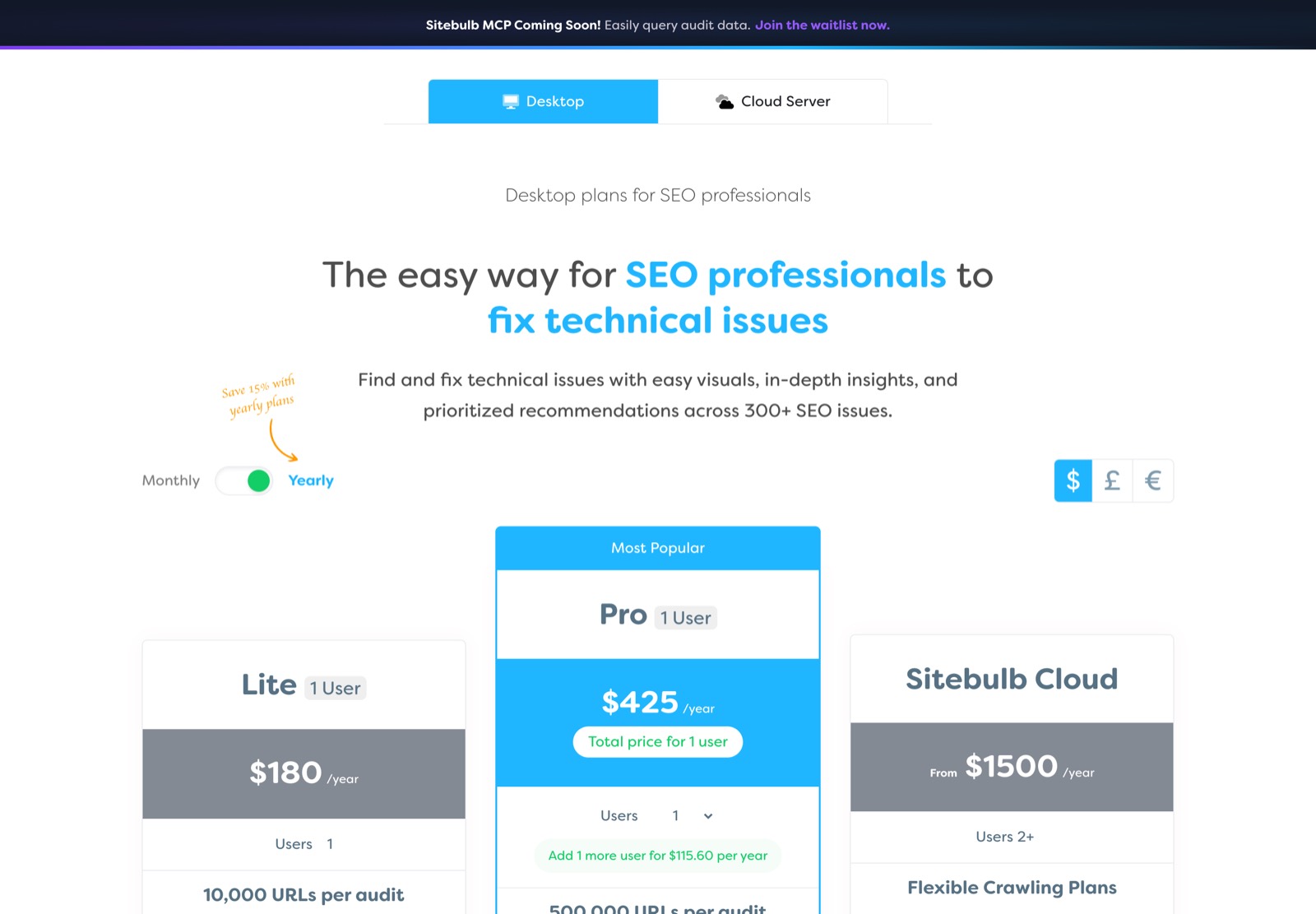
Scale
How big a site each one can finish
On documented ceilings: Sitebulb 500,000, LibreCrawl unlimited.
Sitebulb sets a 500,000 URL default on Pro, raisable to 2 million with a warning about your hardware, and moves to 10 million per audit on Cloud where the crawl runs on its servers. LibreCrawl documents 1M+ URL crawls as stable, using real-time memory profiling and virtual scrolling, and its crawler depth setting goes to 5 million.
Edge: LibreCrawl on documented scale
Control
Who owns the tool and where the data sits
LibreCrawl is open source and self-hosted, so the crawl data never leaves infrastructure you control and you can read or change the code.
Sitebulb is proprietary. Sitebulb Desktop is the same — local data, closed code — while Sitebulb Cloud stores your audits on its servers in exchange for team access and crawls that run without your machine. The trade with LibreCrawl is support: neither offers a vendor support channel, so problems go to GitHub rather than a helpdesk.
Edge: LibreCrawl on ownership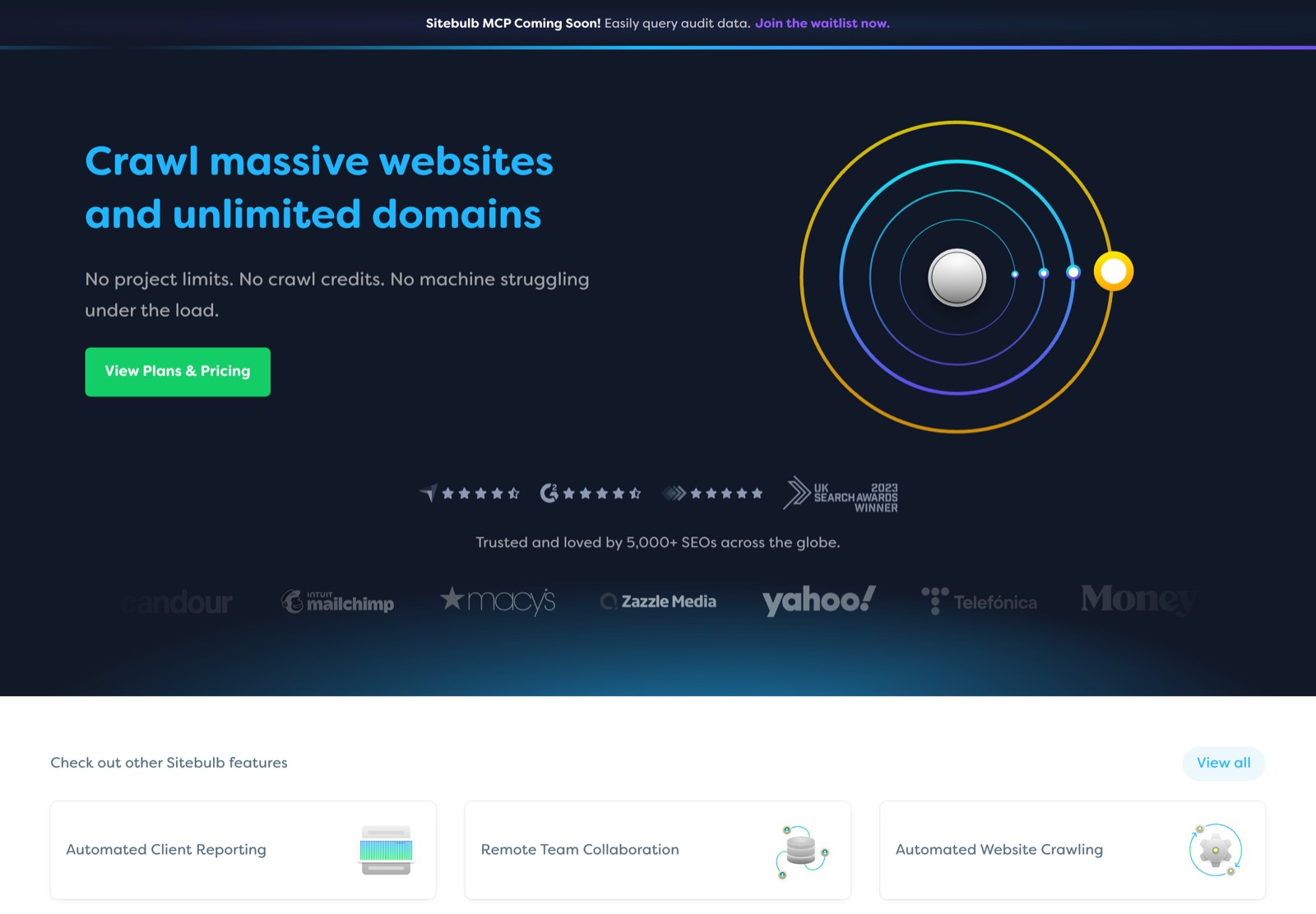
Pricing
What each plan actually costs
List prices as published by each tool. Screaming Frog and Sitebulb both quote in several currencies; the USD figures below come from their own currency switchers.
Sitebulb - 14 days, equivalent to Pro
- No credit card required
- 1 user, $18/month billed monthly
- 10,000 URLs per audit
- 100+ Hints, JavaScript crawling, GA/GSC/Sheets, crawl maps
- 1 user, $42/month billed monthly
- 500,000 URLs per audit, raisable to 2 million
- 300+ Hints, advanced configuration, audit comparisons
- Scheduled audits and customised PDF reports
- Extra users from $115.60/yr
- $125/month, 2 users
- 50,000 URLs per month, 50,000 per audit
- Unlimited projects, recurring audits
- 5 users, includes desktop licences
- 1 million URLs per month, 250,000 per audit
- 10 users, includes desktop licences
- 2.5 million URLs per month, 1 million per audit
- Concurrent crawling
LibreCrawl - MIT licence, full source on GitHub
- Unlimited URLs and unlimited exports
- Self-hosted via Docker or Python 3.8+
- No paid tier and no paywalled features
- Guest: 3 crawls per 24 hours, IP-tracked
- User: unlimited crawls, settings and export
- Extra: JavaScript rendering, custom filters, custom CSS
- Admin: concurrency, memory limits, proxy configuration
- Every user gets admin tier
- No rate limits or tier restrictions
Prices verified 16 August 2026. See vendor sites for current pricing.
Decision guide
Who should choose which
Choose Sitebulb if…
- You report to clients and want copy-pasteable issue explanations and PDF reports
- You want prioritisation done for you rather than sorting a spreadsheet
- Your team needs to work from the same crawl data at the same time
- You expect to outgrow a desktop machine and want a cloud path that is not a re-platform
Choose LibreCrawl if…
- Tool budget is the constraint and you can run Docker or Python
- Data governance means crawl data has to stay on your own servers
- You want to script against a crawler or extend it with your own tabs
- Several people need to crawl at once from one shared install
LibreCrawl costs nothing, but asks you to host and maintain it. Sitebulb charges per seat per year and hands you support, reporting and integrations in return. The deciding question is not the price — it is what you are auditing, and who keeps the tool running when a crawl fails.
From the AngleOut team
The crawler is the easy part
A crawler hands you a list of issues. It will not tell you which of them are costing you rankings, or what to fix first given your traffic. If you want that turned into a prioritised plan, we can put one together.







FAQ
Frequently asked questions
Which of Sitebulb and LibreCrawl is free?
LibreCrawl is entirely free under an MIT licence, with no paid tier. Sitebulb has no free tier — it offers a 14-day Pro-equivalent trial with no credit card, after which Lite starts at $180 a year.
Which one handles the biggest sites?
Sitebulb 500,000, LibreCrawl unlimited. Sitebulb Cloud is the only one here that crawls at scale on someone else's servers, up to 10 million URLs per audit. The unlimited figures are honest but conditional: both are bounded in practice by the memory and disk of the machine doing the crawling.
Do they all render JavaScript?
Sitebulb uses an Evergreen Chromium engine and includes rendering on every plan at no extra cost. LibreCrawl uses Playwright and supports both headless and headed modes.
Can a team share one crawl?
Sitebulb Cloud puts audits in a shared workspace, so anyone on the team can open the same crawl with the same settings. LibreCrawl supports several concurrent users on one install, but each session is isolated with its own crawler and data.
Which integrates with Google Search Console and Analytics?
Sitebulb connects Search Console, GA4, Google Sheets and Data Studio, and lists an MCP integration as coming soon. LibreCrawl integrates PageSpeed Insights with your own Google API key, but documents no Search Console or Analytics connection.
What happens when something breaks?
Sitebulb says support comes from the team that built the tool, rather than account management. LibreCrawl has no vendor support channel — you raise issues on GitHub and wait for a maintainer, or fix it yourself.