You paid $200 for a guest post. It went live three weeks ago. Google still hasn’t indexed the page, so the link passes nothing.
This is common. Google crawls far more pages than it keeps, and the pages that hold purchased links (guest posts, niche edits, press releases, citations) are often low in its crawl priority. Backlink indexing tools exist to fix that discovery problem.
This guide compares the tools worth considering in 2026. It covers pricing, reported indexing rates, refund policies, and the free options. It also explains where these tools stop working.
What a backlink indexer can and cannot do
An indexer can’t force Google to index a page. It can only push Googlebot to crawl it. After the crawl, Google decides whether to index the page based on quality, duplication, and site trust.
In practice:
- Indexers fix discovery. They help when a good page simply hasn’t been found yet.
- Indexers don’t fix quality. A thin page on a spammy site will be crawled and then dropped.
- Google Search Console only works on sites you own. You can’t use URL Inspection on a guest post on someone else’s domain. That limit is the main reason third-party indexers exist.
- The Google Indexing API isn’t a shortcut. Google limits it to JobPosting and BroadcastEvent pages. In September 2024, it added this warning to its docs: “All submissions through the Indexing API undergo rigorous spam detection. Any attempts to abuse the Indexing API, including using multiple accounts or other means to exceed usage quotas, may result in access being revoked.” Be careful with any tool that promises results by routing ordinary URLs through this API.
Quick comparison table
Indexing Tools Compared at a Glance
| Tool | Pricing Model | Approx. Cost per URL | Reported Indexing Rate | Refund on Unindexed URLs | Best For |
|---|---|---|---|---|---|
| Rapid URL IndexerTop Pick | One-time credits, no expiry | $0.04–$0.05 | 91%Vendor average | 100% credit refund within 14 days | Most link builders |
| Indexceptional | Credits | From ~$0.25 | 99.4%Third-party test | Not published | High-value editorial links |
| SpeedyIndex | Tokens, pay per indexed link | ~$0.03–$0.10per indexed link | Not published | Tokens charged only on indexed links | Budget bulk indexing |
| Omega Indexer | Monthly subscription | ~$0.10–$0.15 | 85.3%Third-party test | Credits back if not indexed in 9 days | Agencies needing an API |
| IndexMeNow | Credit packs, no expiry | ~$0.47–$0.98 | 60% / 80%24h / 72h, vendor | Re-credit within 10 days | Second pass on stubborn URLs |
| GIGA Indexer | Credits | ~$0.28 | 81.2%Third-party test | 9-day refund window | Fast crawl triggering |
| Linklicious | Free tier + $17–$57/month | Subscription | Not published | No | Drip feeding lower-tier links |
| Google Search Console | Free | $0 | ~50%Third-party tests | N/A | Pages on sites you own |
Pricing and indexing rates as of September 2026. Vendor-reported figures are marked as such and are not independently verified.
Prices and rates come from vendor pricing pages and published third-party tests as of September 2026. Indexing rates depend heavily on the quality of the URLs submitted. Treat them as directional.
The best backlink indexing tools in 2026
1. Rapid URL Indexer: best overall value
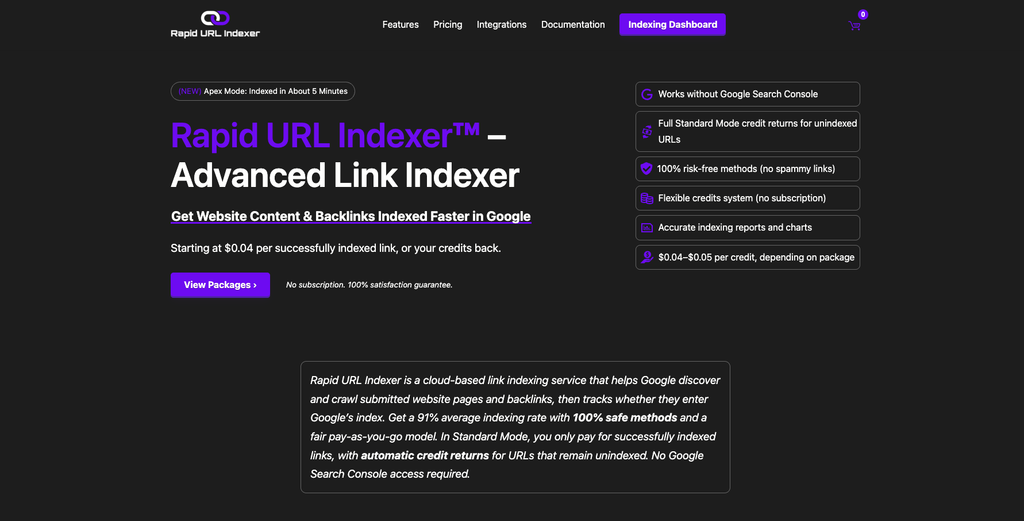
Rapid URL Indexer is the easiest tool to recommend because it removes most of the risk. You buy credits once, they never expire, and unindexed URLs are refunded as credits.
Pricing:
| Package | Price | Per URL |
|---|---|---|
| 500 credits | $25 | $0.05 |
| 1,500 credits | $68 | $0.045 |
| 5,000 credits | $213 | $0.043 |
| 50,000 credits | $2,000 | $0.04 |
Key features:
- 100% refund for links that aren’t indexed within 14 days
- Reports at day 4 and day 14, with status for each URL
- API and WordPress plugin integrations
- Vendor-reported average indexing rate of 91%
Watch out for: Results take up to 14 days to confirm. If you need proof within 24 hours, look elsewhere.
Verdict: Start here. The $25 pack is enough to test your own link mix.
2. Indexceptional: best for high-value editorial links
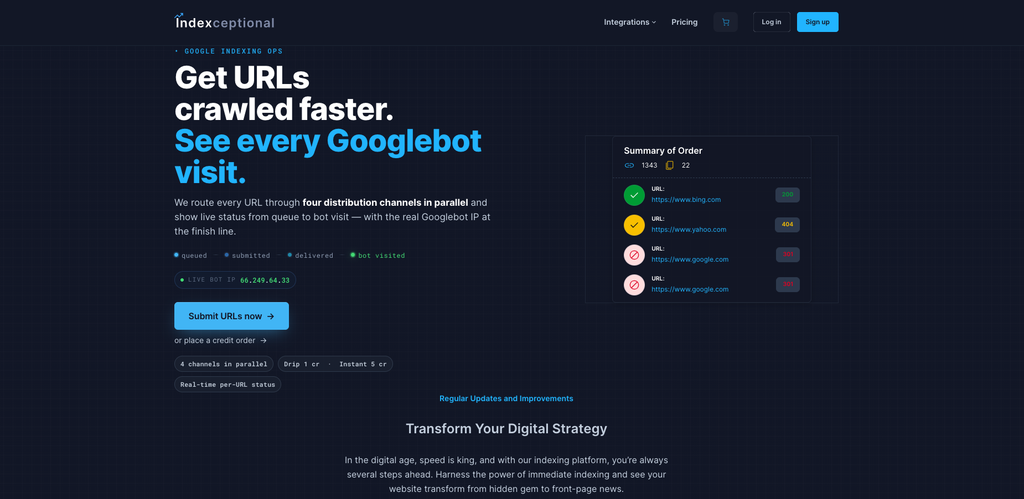
Indexceptional topped Charles Floate’s paid test. It reported a 99.4% indexing rate and a crawl in roughly 15 minutes, measured across guest posts, niche edits, press releases, and profiles at 24 hours, 72 hours,s and 14 days.
Key features:
- A separate pipeline for each URL, with Googlebot IP verification
- API access and queue management for large batches
- Reporting on each URL
Pricing: Credits start around $0.25 per URL.
Watch out for: It costs five to six times more per URL than Rapid URL Indexer. Its own site also publishes a comparison that ranks it first, so rely on independent tests.
Verdict: Worth the premium for guest posts and niche edits that cost $100 or more each. Overkill for tier 2 links.
3. SpeedyIndex: best budget option
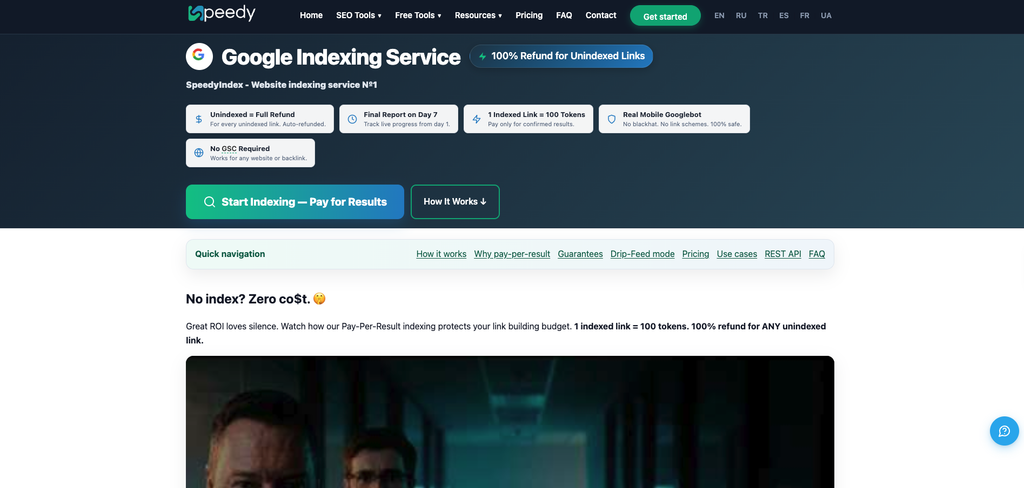
SpeedyIndex charges tokens only for links that get indexed. One indexed link costs 100 tokens, and packs run from $5 to $500. That works out to roughly $0.03 to $0.10 per indexed link.
Key features:
- A Telegram bot and a Chrome extension for quick submission
- API for automation
- 100 free tokens to test
- Live tracking from day 1, with a final report on day 7
Watch out for: A competitor’s comparison reports that SpeedyIndex went offline in November 2025 and relaunched at a higher effective price. Buy small packs rather than stocking up.
Verdict: Good for cheap, high-volume indexing when paying only for results matters most.
4. Omega Indexer: best for agencies needing an API
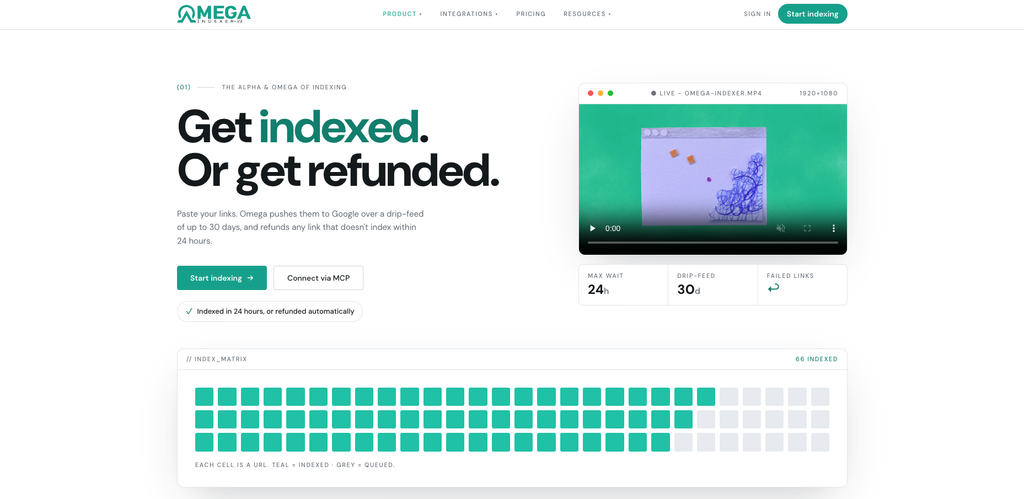
Omega Indexer is one of the oldest names in this category. It has moved to subscription-only pricing.
Pricing: $60/month (400 credits) up to $2,000/month (20,000 credits). Credits reset monthly.
Key features:
- Documented HTTP API and a hosted MCP server
- Drip feed option
- Credits returned automatically for URLs not indexed within 9 days
- 85.3% indexing rate in Charles Floate’s test
Watch out for: Credits that reset every month penalize irregular link building. It also has a mixed community reputation since the pricing change.
Verdict: A good fit for agencies with steady monthly volume and automated workflows.
5. IndexMeNow: best second pass for stubborn URLs
IndexMeNow is expensive, but many SEOs keep it for URLs that other tools failed to index.
Pricing: Credit packs from $59 to $1,999 (about $0.47 to $0.98 per URL). Credits don’t expire.
Key features:
- Vendor claim: 60% indexed within 24 hours, 80% within 72 hours
- Hourly checks on each URL
- Credits returned within 10 days for unindexed URLs (as credits, not cash)
Watch out for: The method isn’t disclosed, and there’s no drip feed.
See what Reddit & SEO can do for your pipeline — grab a time
A 30-minute working session. We'll map your top intent gaps and where the pipeline is leaking. No pitch deck.
Verdict: Don’t use it first. Run failures from a cheaper tool through it.
6. GIGA Indexer: best for fast crawl triggering
GIGA Indexer focuses on getting Googlebot to crawl URLs quickly through high-volume submissions.
Key features:
- Bulk submission
- A 9-day refund window for failed URLs
- 81.2% indexing rate in Charles Floate’s test, though full indexation took around 4 days
Pricing: About $0.28 per link.
Verdict: A solid mid-priced choice if you want a refund guarantee without Indexceptional’s pricing.
7. Linklicious: best for drip feeding lower-tier links
Linklicious has been around for years. It pings Google and backlink crawlers and drip-feeds submissions over time.
Pricing: Free tier, then $17 to $57/month.
Watch out for: It measures success by crawler activity and backlink counts, not by confirmed Google index status. Being crawled isn’t the same as being indexed.
Verdict: Useful for tier 2 and tier 3 links, not for links you paid real money for.
8. Google Search Console: best free option for pages you own
GSC’s URL Inspection tool lets you request indexing directly from Google at no cost.
Key features:
- Official, with no risk
- Shows exactly why a page isn’t indexed (for example, “Crawled, currently not indexed” or “Discovered, currently not indexed”)
- Sitemap submission
Watch out for: It only covers verified properties you own, and you get roughly 10 to 12 manual requests a day.
Verdict: Use it for your own pages and your own guest content on sites where you have access. It can’t index backlinks on other people’s domains.
Free ways to index backlinks
Before you pay, try these:
- Bing Webmaster Tools and IndexNow. They don’t affect Google directly, but they’re free and fast for Bing and other search engines that support IndexNow.
- Link to the page from somewhere Google crawls often. Mention the guest post in a newsletter archive, a resource page,ge or a social profile that Google crawls often.
- Ask the publisher. Ask them to link the post from their homepage, a category page, or a related article. Internal links from strong pages work better than most indexers.
- Use free trial credits. SpeedyIndex gives 100 free tokens. That’s enough to test before you commit.
Be wary of fully free “indexers.” Most of them rely on old ping methods that don’t work anymore, or they limit you so tightly that they’re useless.
How to choose the right indexer
| If you are… | Use |
|---|---|
| Building 20 to 50 quality links a month | Rapid URL Indexer |
| Placing $300+ editorial links | Indexceptional, with IndexMeNow as a backup |
| Indexing thousands of tier 2 links on a budget | SpeedyIndex |
| An agency with API workflows and steady volume | Omega Indexer |
| Working only on your own site | Google Search Console |
Check these five things before buying any indexer:
- Refund or re-credit policy. You should only pay for results.
- Credit expiry. Credits that never expire suit irregular link building.
- Per-URL reporting. A total success percentage isn’t enough.
- A disclosed method. Avoid tools that rely on abusing the Indexing API.
- Independent verification. Confirm with a
site:search or a separate index checker, not only the vendor’s dashboard.
How to test an indexer yourself
Vendor success rates are marketing. Run your own small test:
- Build three groups of 15 URLs each: editorial links, mid-quality links (citations, directories), and low-tier links.
- Confirm none are indexed before you submit them. Use a
site:search and an index checker. - Check at 24 hours, 72 hours, and 14 days. Log crawled versus indexed at each point.
- Compare by link type, not by one total rate. A tool that indexes 90% of junk links and 60% of editorial links is worse for you than the reverse.
Why your backlinks aren’t getting indexed
If no tool gets a URL indexed, the problem is the page, not the indexer. Common causes:
- Thin or duplicate content on the host page
- The host page is orphaned, with no internal links pointing to it
- The host site has poor crawl budget or low trust
- The page is blocked by noindex, robots.txt ,or a canonical tag pointing elsewhere
- A link-farm footprint, such as dozens of outbound links on the same page
The fix is better link placement, not a stronger indexer. Pick pages that are linked from the site’s navigation or from high-traffic posts.
Are backlink indexers safe?
Most reputable indexers are low risk because they act on third-party pages, not your site. Risk increases when a tool:
- Routes URLs through the Google Indexing API, against Google’s stated policy
- Builds spammy links pointing at your backlinks to force a crawl
- Asks for access to your Search Console
On client money sites, use indexers selectively: for new launches, large content libraries, and important updates. Keep a log of what you submitted.
FAQs
What is a backlink indexing tool?
A backlink indexing tool is a service that gets Googlebot to crawl pages holding your backlinks so Google can index them and count the link.
Can Google Search Console index backlinks?
Only if the backlink sits on a site you own and have verified. GSC can’t request indexing for pages on third-party domains.
How long does backlink indexing take?
High-authority pages often index within 24 to 72 hours. Lower-authority pages typically take 7 to 14 days. If a reputable tool hasn’t indexed a URL after 14 days, the page likely has a quality problem.
Can any tool guarantee 100% indexing?
No. Tools can trigger crawls, but Google makes the indexing decision. Choose tools that refund unindexed URLs instead of promising guarantees.
Should I index every backlink I build?
No. Wait one to two weeks, check which links are indexed, and submit only the ones that aren’t. That keeps costs down.
Are free backlink indexers worth it?
Rarely. Free indexers usually rely on outdated ping methods. Trial credits from paid tools are a better free option.
What is the cheapest reliable backlink indexer?
SpeedyIndex, at roughly $0.03 to $0.10 per indexed link, and Rapid URL Indexer, at $0.04 to $0.05 per URL with refunds, are the lowest-cost options with verified results.
47 checkpoints across technical, content, and conversion — the same list our strategists run on every new account.