TL;DR
TL;DR · ~30 sec read
The short answer: to track brand mentions in AI search, check your buyers’ prompts in the assistants yourself, read what OpenAI, Microsoft and Google now report about your site, and pay for a tracker only once you know which prompts matter.
- Start with the reports you can open today. ChatGPT Business Hub, Bing’s AI Performance report, Search Console’s generative AI report and GA4’s AI Assistant channel each count something different, so never add them together.
- Track a percentage, not a position. SparkToro found less than a 1 in 100 chance of getting the same brand list twice from ChatGPT or Google’s AI.
- Pay for a tracker once the habit exists. Plans start at $29/month, and 25 prompts on 3 engines costs between $50 and $189 a month on current plans.
To track brand mentions in AI search, combine two kinds of data. First, what ChatGPT, Perplexity, Copilot and Google’s AI answers say when you ask them your buyers’ questions. Second, what OpenAI, Microsoft and Google now report about your brand and your site in their own dashboards.
Prompt checks show which questions you win and who beats you. Platform reports show real mentions, citations and visits, but never the prompts behind them.
The free side got much better in 2026. Search Console added a generative AI report, GA4 added an AI Assistant channel, Bing started reporting Copilot citations, and OpenAI launched ChatGPT’s Business Hub in beta on November 10, 2026. Below you’ll find nine methods, what every one of them actually measures, what it costs today, and a worked example for a 25-prompt setup.
What counts as a brand mention in AI search?
A brand mention in AI search is an answer from an AI assistant, such as ChatGPT, Perplexity, Copilot, Gemini or Google’s AI Overviews, that names your company or product. We treat a citation as stronger: the answer links to a page on your site as its evidence. A recommendation is the strongest signal of all, because the assistant tells the buyer to choose you.
The three don’t always go together, and each platform defines them its own way. OpenAI’s Business Hub only counts a mention for an online business when ChatGPT references the business’s website, so an unlinked brand name doesn’t count.
Bing counts citations, while Google’s new report counts impressions of your pages. Don’t add these numbers together, and don’t compare one platform’s figure with a tracking tool’s “mention rate” as if the two were the same metric.
How to track brand mentions in AI search: 9 methods
| # | Method | Best for | Cost | What it measures | Effort |
|---|---|---|---|---|---|
| 1 | Manual prompt checks | Every team, from day one | Freeyour time | Mentions, citations and who else appears, on your own prompts | High |
| 2 | ChatGPT Business Hub | Eligible businesses with a website | No fee statedclaim plus ID check | ChatGPT mentions (website referenced) and clicks | Low after setup |
| 3 | Bing Webmaster Tools AI Performance | Copilot visibility | FreeBing Webmaster Tools | Citations in Copilot and Bing AI answers | Low |
| 4 | Search Console generative AI report | AI Overviews and AI Mode | Includedin Search Console | Impressions of your pages in Google's AI answers | Low |
| 5 | GA4 AI Assistant channel | Proving traffic and leads | Freedefault channel group | Visits from ChatGPT, Gemini, Copilot and others | Low |
| 6 | AI crawler logs | Technical SEO checks | Your own logsno new tool | Which AI bots fetched which pages | Medium |
| 7 | Free AI visibility checkers | A first baseline | FreeSemrush: 3 checks a day | One-off snapshot of mentions and cited pages | Low |
| 8 | Paid prompt trackers | Ongoing tracking | From $29/moOtterly Lite, 20 prompts | Mention rate, share of voice and citations over time | Low once set up |
| 9 | Your own API checker | Teams with a developer | About $0.0059/callPerplexity worked example | Mentions and citations on your prompts, at any volume | High to build |
Costs from each vendor's own pages, checked 26 November 2026. Prices in USD.
Methods 2 to 6 use data you already own or can claim at no stated cost. Methods 1, 7, 8 and 9 show you the answers themselves, which is how you see which competitors appear next to you.
1. Run a fixed prompt list by hand
Manual checks are where every tracking setup should start, because they teach you what the answers look like before you pay anyone to count them. Write a short list of prompts the way your buyers would ask them:
- Category prompts: “best [category] for [type of company]”.
- Problem prompts: “how do I fix [problem your product solves]”.
- Comparison prompts: “[your brand] or [competitor] for [use case]”, or “tools like [competitor]”.
- Brand prompts: “what does [your brand] do” or “is [your brand] any good”, to catch wrong facts about you.
Take the wording from your SaaS keyword research and from the long-tail questions buyers ask on sales calls, not from your product pages.
Run each prompt in a clean session. In ChatGPT, open a Temporary Chat and choose Unpersonalized before you send the first message, so your memories and custom instructions stay out of the answer, because you can’t change that choice once the chat has started.
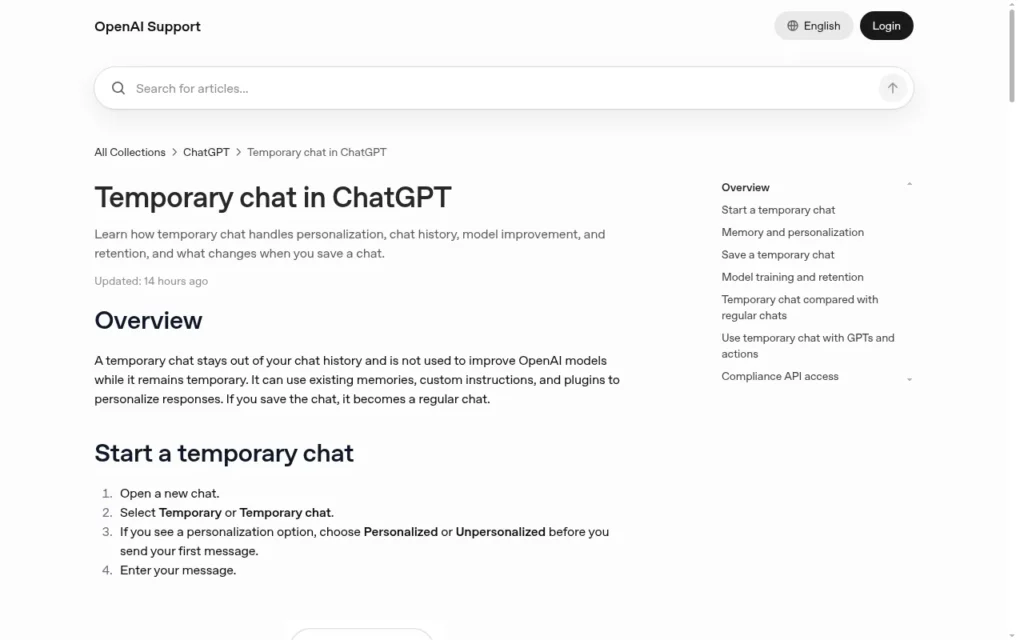
Then log one row per answer: date, engine, prompt, whether you were named, which of your URLs was cited, whether you were recommended, and which competitors appeared.
Run your money prompts more than once. In a SparkToro study, 600 volunteers ran 12 prompts through ChatGPT, Claude and Google’s AI a combined 2,961 times. There was less than a 1 in 100 chance that ChatGPT or Google’s AI returned the same list of brands twice, and about 1 in 1,000 for the same list in the same order.
How often a brand appeared was steadier: City of Hope showed up in 69 of 71 ChatGPT answers but came first in only 25. So record the share of answers you appear in, not your position in a single answer.
SparkToro’s own advice is that a stable read takes 60 to 100 runs of a prompt, which is why manual checks don’t scale past a handful of prompts. The study isn’t peer-reviewed, and its author discloses a link to an AI tracking startup, but the pattern matches what the tracker vendors themselves warn about in their documentation.
2. Claim your ChatGPT Business Hub listing
Business Hub gives you mention numbers straight from OpenAI, rather than from a prompt list that you or a vendor ran. OpenAI announced it in beta on November 10, 2026. Open it from the ChatGPT sidebar, find your company and prove it’s yours with whichever option the listing offers: your business phone (by SMS or automated call), an email to your company address, a TXT record added to your DNS, or your Shopify store.
Approval of the claim isn’t enough. You also have to pass an identity check with Persona, which may ask for a government ID, business registration details and proof you can represent the company, before the Insights tab opens. Several users in the UK, Australia and Brazil reported on OpenAI’s forum that they couldn’t finish that step, so start early.
The Insights tab reports on a rolling 28-day window: how often ChatGPT mentioned you, how often people clicked through to your site, and “discovery topics”, the recurring themes in answers that named you. Read OpenAI’s definitions before you put the numbers in a report:
- Online businesses: ChatGPT has to reference your website for it to count. Your name on its own isn’t enough.
- Local businesses: it counts whenever ChatGPT shows your location as a result, clicked or not.
- You never see the prompts or the conversations.
- An empty field isn’t proof of zero. Low activity can sit under OpenAI’s reporting threshold, or the data may still be coming in.
OpenAI’s help article doesn’t mention a fee, and claiming doesn’t require a ChatGPT Ads account. Claim it even if your numbers start small: OpenAI may create and show a listing for your business whether or not you claim it. While you’re at it, keep a plain page of company facts on your own site, like our AI info page, so assistants have something accurate to pull from.
3. Check Copilot citations in Bing Webmaster Tools
Bing Webmaster Tools reports citations directly, which Google’s report doesn’t. Microsoft launched its AI Performance report as a public preview on February 10, 2026. It counts citations of your pages in Microsoft Copilot, in AI-generated summaries in Bing and in “select partner integrations”, which Microsoft hasn’t named.
You get Total Citations, Average Cited Pages per day, citation counts by page and “grounding queries”, the grouped phrases Copilot used when it retrieved the content it cited. They aren’t full user prompts.
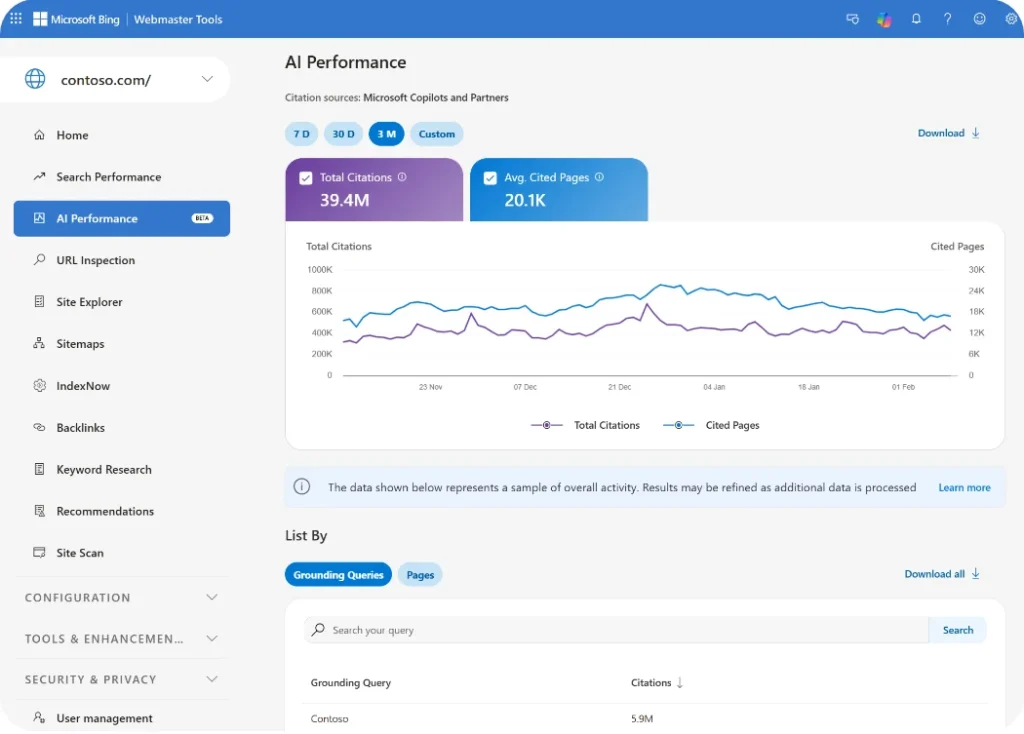
You can map grounding queries to pages and pages to queries, choose 7 days, 30 days, 3 months or a custom range, and export grounding queries, page citations and the timeline to CSV or Excel. On June 16, 2026 Microsoft added Citation Share in preview, the percentage of all citations for a grounding query that went to your site, although it doesn’t reveal which competitors took the rest.
Two limits matter. The data is a sample, so very low citation activity may not show up. And Microsoft says plainly that a citation isn’t a click, a visit or a ranking.
4. Read Search Console’s generative AI report
Google now separates its AI answers from the rest of Search Console. It announced a Generative AI performance report on June 3, 2026, and its help page says it reached all websites worldwide on August 31, 2026. The report shows impressions of your pages in AI Overviews and AI Mode, broken down by page, country, date and device, with a filter for text-based versus multimodal searches such as Google Lens.
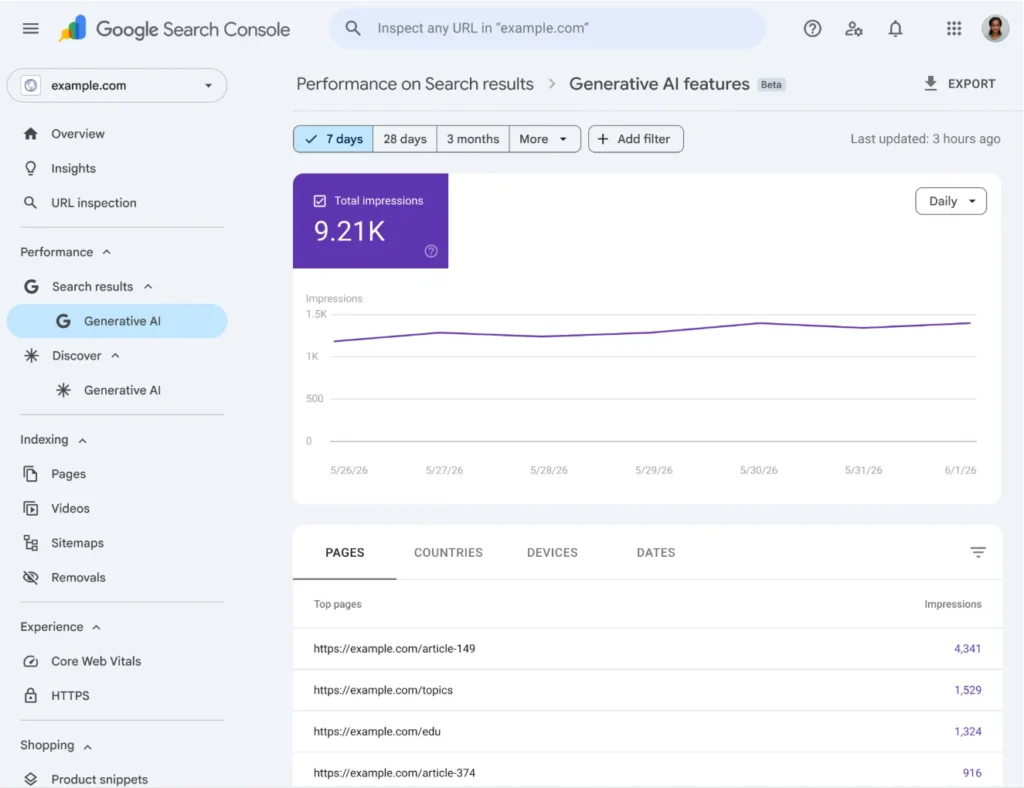
It reports impressions only, with no clicks metric listed so far. The same data still sits inside the main Performance report under the Web search type, where Google applies its normal rules: an AI Overview takes one position, and every link in it gets that position. A follow-up question in AI Mode counts as a new query.
If you can’t find the report, Google says that’s usually because your site either hasn’t had enough impressions in its AI features yet or has been excluded from them. Because it counts impressions of your pages, an AI Overview that names your brand without linking to your site won’t show up here. And if a page’s AI impressions fall while its organic impressions hold, treat it like content decay: refresh the facts and dates first.
5. Track AI referral traffic in GA4
GA4 is where AI visibility turns into numbers your CFO cares about: sessions, sign-ups and demos. Google added an “AI Assistant” channel to the default channel group in May 2026.
The channel catches traffic from assistants such as ChatGPT, Gemini, Deepseek, Copilot and Grok, and sets the medium to “ai-assistant”. It leaves out Google’s own AI Overviews and AI Mode, which Google counts under Organic Search, so use Search Console for those.
See what Reddit & SEO can do for your pipeline — grab a time
A 30-minute working session. We'll map your top intent gaps and where the pipeline is leaking. No pitch deck.

You can’t edit the default channel definitions. If you want your own list of assistants, Google’s custom channel group help page includes an “AI assistants” example built on a regex condition, and you should place that channel above Referrals so the visits aren’t swallowed by it. Custom groups apply to past data too, but standard properties get only 2 of them, so plan before you create one.
Don’t rely on UTM tags alone. OpenAI’s publisher FAQ used to say ChatGPT adds utm_source=chatgpt.com to links, but that page now redirects to an unrelated article.
In mid-October 2026 people also reported the tag missing from ChatGPT links for a time. Referrer-based channels are the safer base.
6. Look for AI crawlers in your server logs
Logs tell you which AI bots fetch your pages, which is a technical check rather than a mention count. The user agents worth filtering for:
- OpenAI: OAI-SearchBot surfaces sites in ChatGPT search, GPTBot collects training data, and ChatGPT-User visits a page when a person’s question needs it.
- Perplexity: PerplexityBot indexes pages for Perplexity’s search results, and Perplexity-User fetches pages for a user’s question.
- Anthropic: ClaudeBot collects training data, Claude-User fetches pages for people’s questions, and Claude-SearchBot indexes content for search.
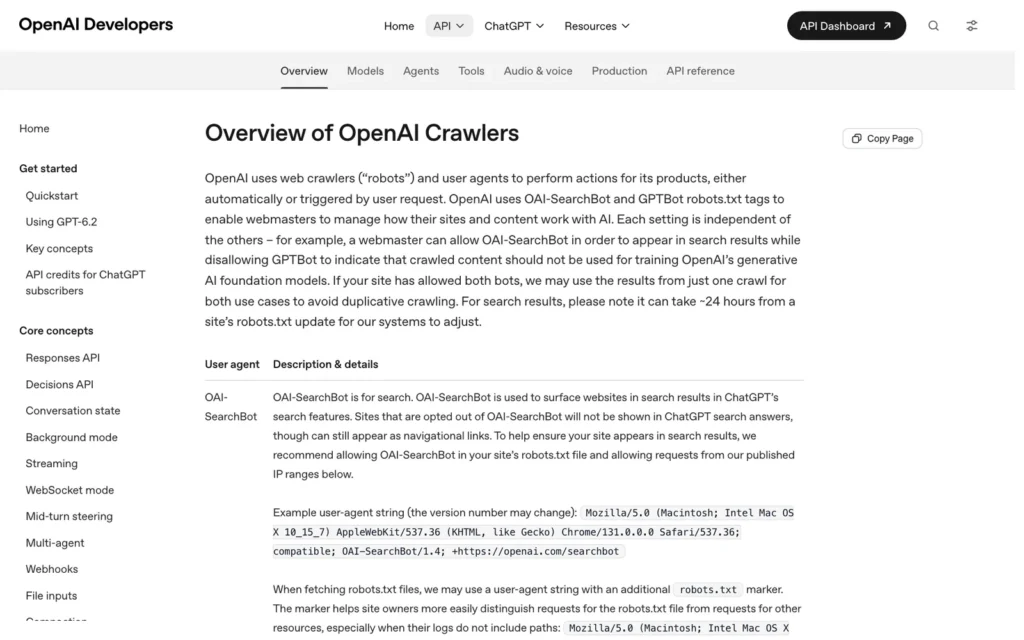
The “-User” fetchers are the interesting ones: a hit means someone’s question sent an assistant to your page at that moment. But a fetch is not a mention, and it says nothing about what the answer said.
Use logs for one important check. OpenAI says sites that block OAI-SearchBot won’t be shown in ChatGPT search answers, so look at your robots.txt and firewall rules before you blame your content for a missing mention.
7. Use a free AI visibility checker
A free checker gives you a quick baseline for your brand and a competitor. Two are worth using.
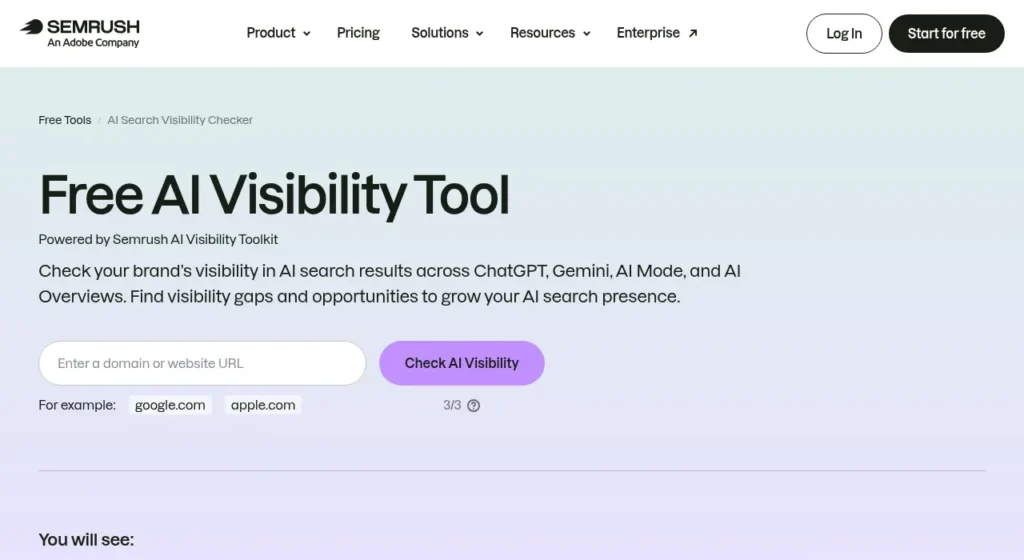
Semrush’s free AI Visibility Tool takes a domain and checks ChatGPT, Gemini, AI Mode and AI Overviews, with 3 free checks a day and no account needed. The report includes a 0 to 100 visibility score, mentions, citations, top cited pages and a competitor comparison, drawn from a database of 26M+ prompts.
Semrush’s own FAQ warns that your manual results may differ, because it runs prompts in a controlled environment.
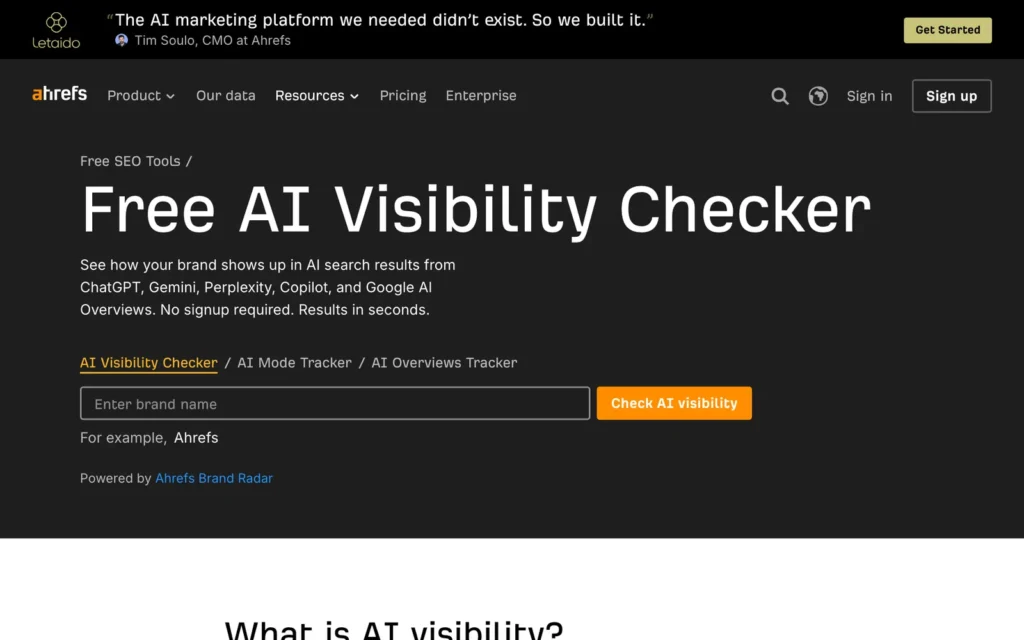
Ahrefs’ free AI Visibility Checker takes a brand name instead and covers ChatGPT, Gemini, Perplexity, Copilot and AI Overviews. There’s no signup and no limit on how many brands you check, but it shows only the top 5 results per section, as a one-time snapshot. Ahrefs says its prompts come from questions people search on Google rather than invented ones.
Neither tracks your own prompts over time. Use them to find out where you stand and which competitor to watch, then move on.
8. Pay for a prompt tracker
Buy a tracker once you know which prompts matter and you need them checked daily across several engines. All five below run your prompts on a schedule and report how often you appear, but they differ on engines, limits and price. We compared them in more depth in our AI visibility tools guide.
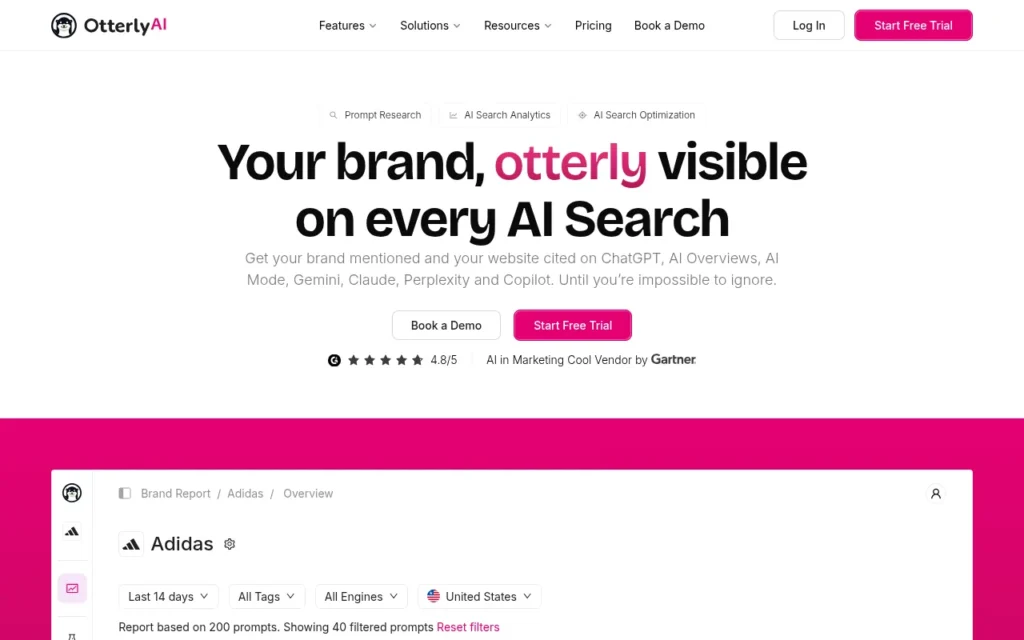
- Otterly AI: Lite is $29/month for 20 prompts tracked daily on 3 of 7 engines. Tracking runs on credits (one prompt, once, on one engine), and Claude costs 3 credits per answer.
- Peec AI: Starter is $95/month for 50 prompts on 3 models, daily, with unlimited users. It separates sources that informed an answer from sources it actually cited.
- Semrush AI Visibility Toolkit: $99/month for 25 prompts tracked daily, billed annually, and you don’t need a Semrush SEO plan to buy it.
- Ahrefs Brand Radar: custom prompt tracking starts at $50/month for 2,500 checks, and its ready-made AI index costs $199/month per platform.
- Profound: enterprise only. Its Starter and Growth plans for brands were retired in September 2026, so any guide quoting those prices is out of date.
If you’re weighing the two big SEO suites anyway, our Ahrefs vs Semrush comparison covers the rest of each platform.
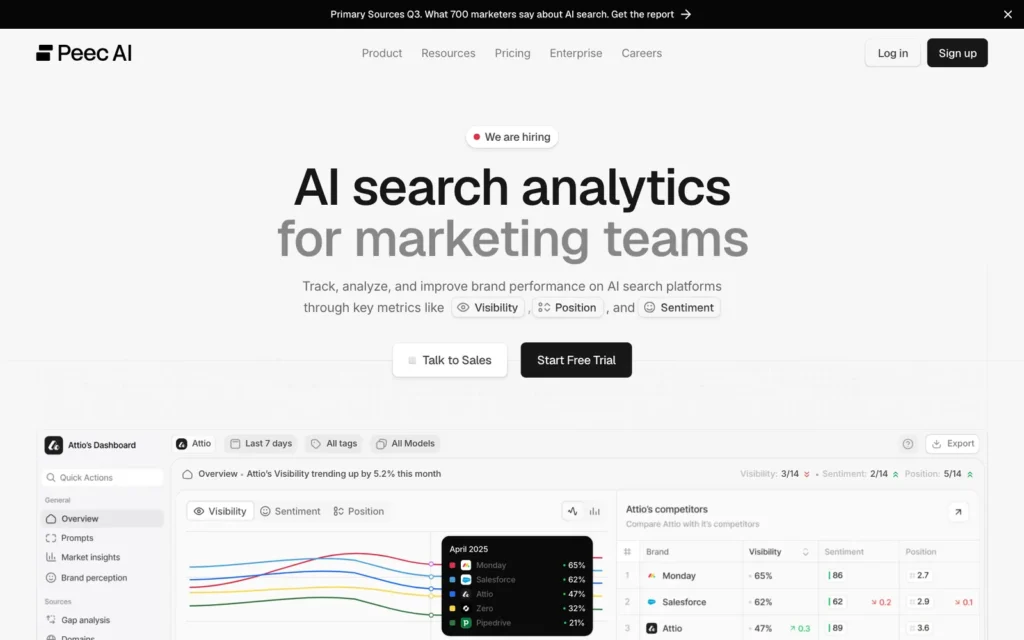
Check engine coverage before price. Profound, for example, lists 10 answer engines but not Microsoft Copilot, and Otterly’s prompt counts assume you track only 3 engines.
9. Build your own checker with an API
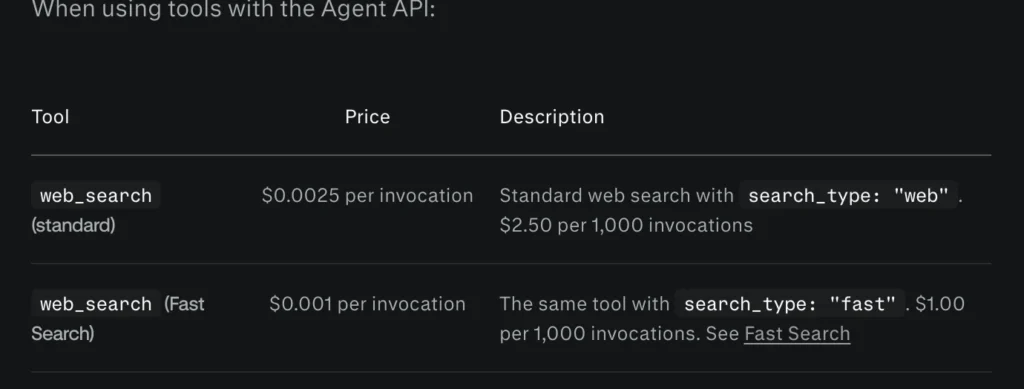
If you have a developer, a small script that runs your prompt list through an API costs very little, and Perplexity’s search pricing is lower than OpenAI’s web search tool.
Its worked example puts one Agent API call with 500 input tokens, 200 output tokens and one web search at $0.0059. Web searches cost $2.50 per 1,000, and each answer returns a list of the URLs it used.
Some older guides quote Perplexity’s old Sonar request fees. Perplexity ended support for Sonar Chat Completions on September 27, 2026 and now points new projects to the Agent API, so check the current pricing page before you budget.
OpenAI’s Responses API has a web search tool at $10.00 per 1,000 calls plus search content tokens. Answers carry url_citation annotations, and you can request a separate list of every URL the model consulted.
The catch: API answers may differ from what a buyer sees in the ChatGPT app. Profound says it collects answers from the browser rather than from model APIs for exactly that reason. Treat a homemade checker as a trend line, not as a copy of the consumer experience.
Worked example: tracking 25 prompts for a SaaS brand
Say you want 25 prompts checked every day on 3 engines for a month. That’s 25 × 3 × 31 = 2,325 prompt checks. Here’s what it costs on current plans:
- Ahrefs Brand Radar: 2,325 checks fit inside the $50 Basic package of 2,500 checks. Cheapest of the paid trackers here.
- Peec AI: Starter at $95 covers 50 prompts on 3 models, so you have 25 prompts to spare.
- Semrush AI Visibility Toolkit: $99 (billed annually) includes 25 tracked prompts. Semrush runs them “on your target platform” and doesn’t say whether that covers 3 engines, so confirm first.
- Otterly AI: 2,325 credits is more than the 2,000 in Lite, so you’d need Standard at $189.
- Your own Perplexity script: 775 calls a month comes to about $4.57, but it only shows Perplexity’s answers.
Add the free layer on top: GA4’s AI Assistant channel for visits, Search Console’s report for Google’s AI surfaces, Bing for Copilot citations and Business Hub for ChatGPT’s own count. Check the free reports monthly and the tracker’s trend weekly. Run a manual pass whenever a tracker number jumps, so you can see the actual answers behind it.
Which method fits your team?
- No budget yet: manual checks on your top prompts, plus Business Hub, Bing, Search Console and GA4. That gives you first-party data from ChatGPT, Copilot and Google with no tool to buy.
- Small SaaS marketing team: add one tracker. Peec if you want unlimited users, the Semrush toolkit if you already use Semrush for rank tracking, and Ahrefs Brand Radar if price matters most.
- Agency: Otterly’s Standard plan is its cheapest with unlimited workspaces, and Peec has separate agency bundles with shared prompt allocation.
- Enterprise: Profound, Semrush Enterprise or Ahrefs’ full index, alongside the free first-party reports.
Mistakes that skew the numbers
- Only testing your brand name. Brand prompts tend to name you, so they say little about where you compete. Category and problem prompts are where you compete, and where your bottom-of-funnel content has to earn its place.
- Trusting one run. SparkToro’s data shows the brand list changes from run to run, so track a percentage over many answers.
- Testing in a logged-in, personalized chat. Memories and custom instructions can change the answer you see.
- Counting crawls or visits as mentions. A GPTBot hit or a GA4 session tells you something real, but not what the answer said.
- Comparing numbers across sources. Business Hub mentions, Bing citations and Google impressions are three different metrics.
FAQs
How do you measure brand visibility in AI search?
Measure it as the share of AI answers that mention, cite or recommend you across a fixed set of buyer prompts, tracked over time. Add the platforms’ own counts: ChatGPT Business Hub mentions, Bing citations and Search Console’s AI impressions.
Can AI searches be tracked?
Partly. You can’t see what other people typed into ChatGPT or Copilot, and OpenAI and Microsoft both say their reports don’t show prompts. You can track how often answers name or cite you, which pages get cited and how many visits follow.
Is there a free way to track brand mentions in AI search?
Yes. Run prompts by hand in a clean session and use Bing Webmaster Tools and GA4’s AI Assistant channel, which Microsoft and Google offer free. Search Console’s generative AI report and ChatGPT’s Business Hub list no fee either, and Semrush and Ahrefs offer free one-off checkers.
Why do my manual checks differ from my tool’s report?
AI answers change from run to run, and tools run the same prompts in a controlled, non-personalized setting on a fixed schedule. Semrush says so in its own FAQ. A single manual answer is one sample, while a tool reports an average.
How often should you check AI brand mentions?
Most paid trackers can run prompts daily, so review their trend weekly. Check the platform reports monthly, since Business Hub covers 28 days and Bing refreshes daily. Do a manual pass after a big launch or a sudden change in the numbers.
Does Search Console show clicks from AI Overviews?
Clicks on links in AI Overviews and AI Mode count as normal clicks in the main Performance report, under the Web search type. The dedicated generative AI report shows impressions only, so far.
Where to start
Start this week with the no-cost stack: claim Business Hub, open Bing’s AI Performance report, find Search Console’s generative AI report and check GA4’s AI Assistant channel. Then write 20 buyer prompts and run them by hand once.
Within a month you’ll know whether AI search sends you anyone, which pages it cites, and you’ll have a first look at which competitors show up. Only then is a paid tracker worth the money.
If the numbers show you’re missing, look off-site before you rewrite pages. In Ahrefs’ study of 75,000 brands, branded web mentions correlated with AI Overview visibility at 0.664, against 0.218 for backlinks. A December 2025 follow-up found similar figures for ChatGPT and AI Mode.
A November 2026 Ahrefs study of 10,000 US brands went further: Reddit mentions in threads that rank on Google correlated most strongly, at about 0.75. These are correlations, not proof, but in our view they’re why earning mentions on other sites now belongs in the brief for any SaaS link building agency, and why we treat Reddit marketing as part of AI visibility work.
At AngleOut, a SaaS SEO and GEO agency, we agree a list of money keywords and AI prompts with each client at onboarding, then track rankings and AI mentions for every one of them. Every plan includes a set number of target keywords and prompts. If you’d like help setting that up for your SaaS brand, book a free 30-minute call.
47 checkpoints across technical, content, and conversion — the same list our strategists run on every new account.
Sources
- OpenAI: Setting up your business on ChatGPT and Temporary Chat
- OpenAI: Overview of OpenAI crawlers and web search tool
- Microsoft: AI Performance in Bing Webmaster Tools
- Google: Generative AI performance reports and AI features and your website
- Google Analytics: Default channel group and custom channel groups
- Perplexity: Pricing and crawlers
- Anthropic: Crawler documentation
- SparkToro: AI brand recommendation consistency study
- Vendor pricing pages: Otterly AI, Peec AI, Semrush, Ahrefs, Profound